
01
Scattered status updates
The team has to search through email, messages, and folders to find out whether a document was signed.
Digital signatures and document management
A platform for businesses that need to send documents, collect signatures, track deadlines, and keep completion receipts with a clearer audit trail.
This private system is shown through interface screenshots, workflow details, and fictional data to protect business rules and sensitive information.
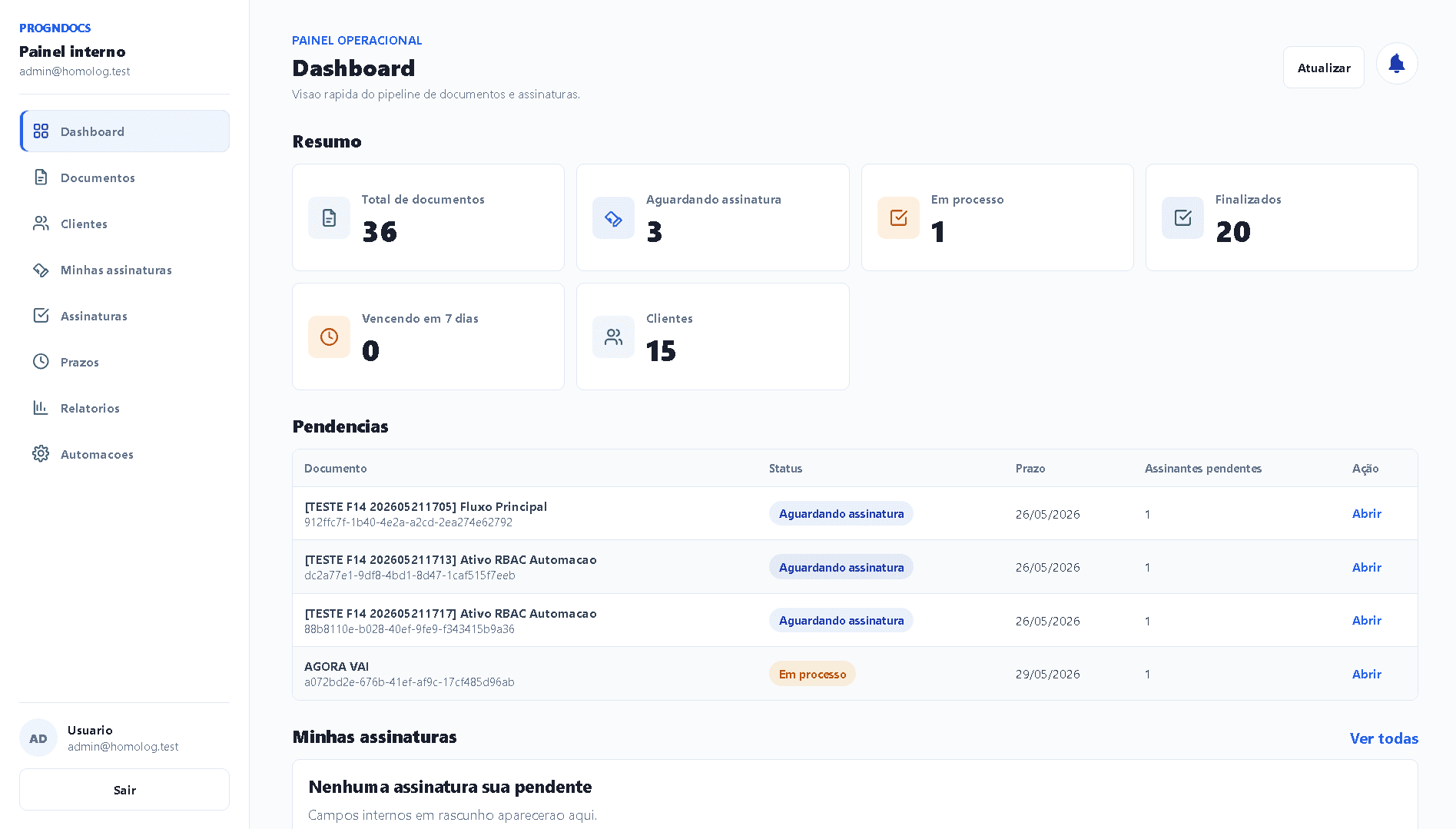
Shows
A working document dashboard
Statuses, deadlines, and documents come together in one view, so the team does not have to search through disconnected folders.
Solves
Traceable document delivery
The workflow connects a secure link, signature, receipt, and audit trail without exposing the document publicly.
Why it matters
Less manual tracking
Pending items and approaching deadlines surface early, reducing missed reminders and lost receipts.
Documents sent by email or WhatsApp are hard to trace. Status, deadlines, and receipts quickly become a manual tracking problem.
The team has to search through email, messages, and folders to find out whether a document was signed.
Without organized activity records, it is harder to verify each step in the document workflow.
Files and confirmations can remain outside the operations dashboard, making future reference difficult.
Deadlines and follow-ups require constant human attention, creating more rework.
PrognDOCS organizes secure links, signatures, audit trails, receipts, and deadlines in one document dashboard.
The team uploads the private PDF and sets the recipient, deadline, and details needed for internal tracking.
The recipient opens the document through a controlled link instead of a publicly accessible page.
A simple signing flow collects the signature, acceptance, and supporting activity records.
The dashboard updates the status, stores the completion receipt, and records useful events for traceability.
The screens below show the working document dashboard with fictional files and statuses to protect sensitive information.
Document dashboard
Brings document volume, signature status, pending items, and deadlines into one quick operational view.
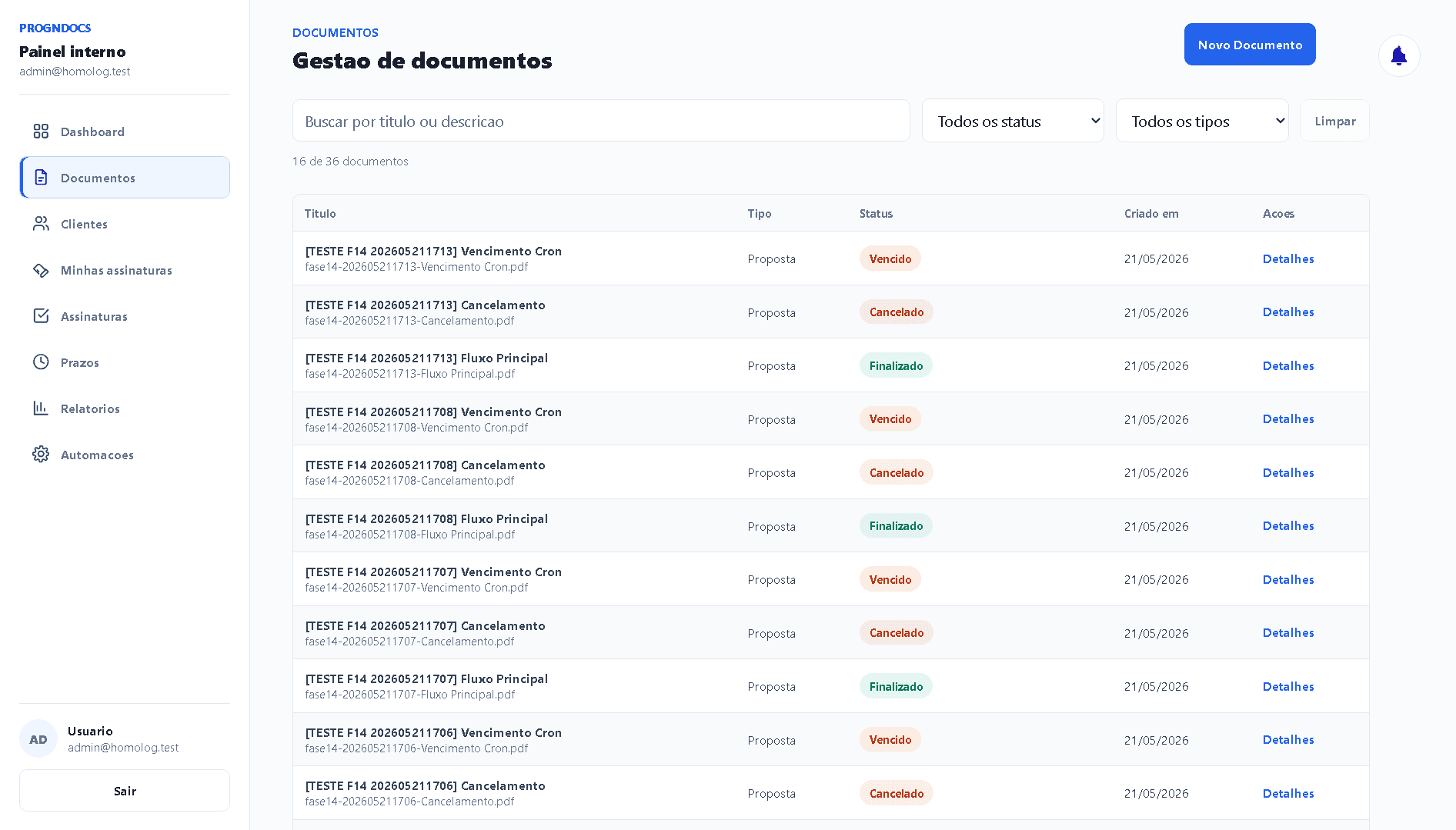
Document management
Organizes documents with filters, status, and context for internal tracking and review.
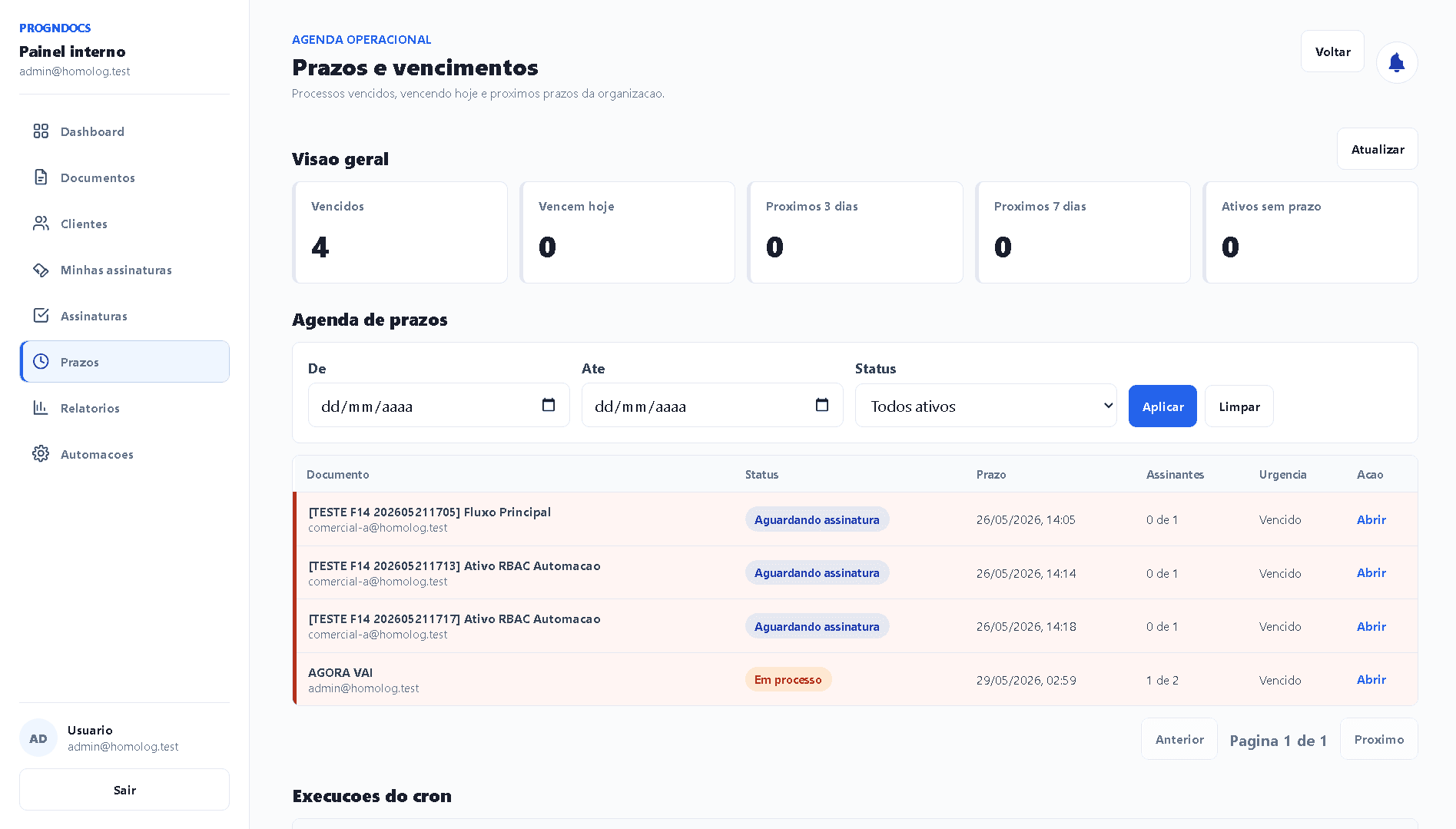
Deadlines and expiration dates
Highlights documents that are due soon or overdue, reducing missed follow-ups and manual tracking.
The platform covers the full document routine, including delivery, signatures, evidence, receipts, deadlines, dashboard tracking, and automation.
Private PDFs and secure links keep documents from being openly accessible. A production setup can use private storage, signed URLs, or an equivalent temporary access rule.
The document does not need to be public. Access can use signed URLs or an equivalent rule.
The portfolio uses simulated screens. Real names, PDFs, activity records, and receipts are not shown.
Relevant events stay connected to the document for operational review.
An administrative dashboard centralizes status and reduces reliance on folders, messages, and spreadsheets.
The signing flow needs to be simple for the recipient and structured for the team running the process.
Recipients can review the document, confirm their information, and sign without learning the internal dashboard.
The signature updates the document and provides the basis for a receipt and audit trail.
The team needs to know what happened after a document was sent, so activity records and receipts remain connected to it.
Sending, opening, signing, dates, and status changes remain connected to the document.
A final record gives the team one place to review the completed workflow.
The internal dashboard centralizes status, deadlines, pending items, and actions, so the team does not rely on parallel tracking tools.
Pending, sent, opened, signed, expired, or completed at a glance.
Deadlines help prioritize follow-up, while email automation reduces manual reminders.
Security appears in access decisions, file storage, traceability, and what the public case study reveals.
The document does not need to be public. Access can use signed URLs or an equivalent rule.
The portfolio uses simulated screens. Real names, PDFs, activity records, and receipts are not shown.
Relevant events stay connected to the document for operational review.
An administrative dashboard centralizes status and reduces reliance on folders, messages, and spreadsheets.
The stack supports signing screens, an internal dashboard, private storage, email, a database, and deployment.
The technology supports the day-to-day product experience, data, integrations, security, logs, and automation.
Screens cover setup, delivery, signatures, receipts, status, and pending work.
Private storage, signed URLs, or an equivalent approach keeps documents from being publicly exposed.
Email automation, deadlines, and activity records keep the workflow traceable.
The team can track documents without relying on scattered manual controls.
Next step
If your company still sends documents manually, loses completion receipts, or cannot track signatures securely, message me to discuss a more controlled document workflow.