
01
Scattered leads
Contacts arrive through different channels and do not always enter a clear, prioritized queue.
AI-assisted CRM with WhatsApp integration for clinics
My flagship product is a CRM for clinics that need to manage leads, qualification, conversations, WhatsApp, scheduling, tasks, reports, and automation in one controlled sales workflow.
This private system is shown through interface screenshots, workflow details, and fictional data to protect business rules and sensitive information.
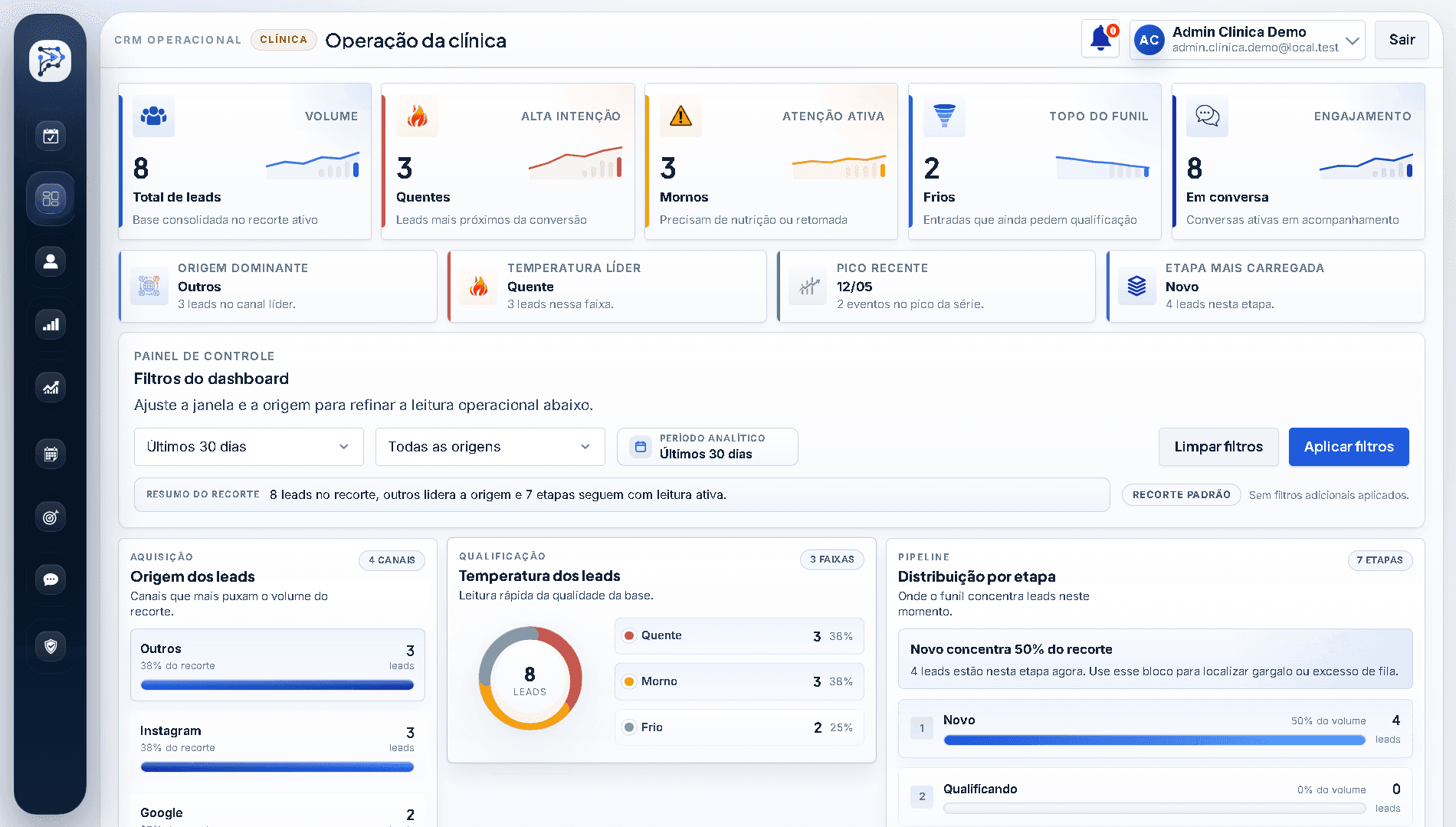
Shows
A working CRM dashboard
Metrics, filters, and pipeline views come together so the team starts the day knowing where to act.
Solves
Clear follow-up priorities
Leads no longer live only in WhatsApp. Each one has a stage, source, lead score, and next step.
Why it matters
Decisions backed by operational data
Managers can see volume, bottlenecks, and opportunities before asking for follow-up or changing acquisition efforts.
Leads arrive through WhatsApp, landing pages, and forms. Without a clear queue, the team loses context, priority, and the right follow-up timing.
Contacts arrive through different channels and do not always enter a clear, prioritized queue.
Conversations, follow-ups, and decisions remain buried in isolated messages or individual team members' memory.
Without connected tasks and scheduling, high-intent opportunities can go cold simply because no one followed up.
The clinic knows inquiries are coming in, but cannot clearly see where the pipeline is getting stuck.
PROGN brings conversations, the pipeline, scheduling, and AI-assisted intake together, making the next step clear before a team member takes over.
A contact comes in through WhatsApp, a landing page, or a form and enters the CRM with a visible source, stage, and owner.
AI-assisted intake helps organize intent, urgency, and context before a team member steps in.
The team tracks each lead by stage, conversation, task, promised follow-up, and sales priority.
As a lead moves forward, the workflow connects appointments, tasks, and follow-ups so nothing is forgotten.
The screens below show the working CRM with fictional names, metrics, and conversations to protect customer information.
Operations dashboard
An at-a-glance view of lead volume, lead score, source, and distribution across pipeline stages.
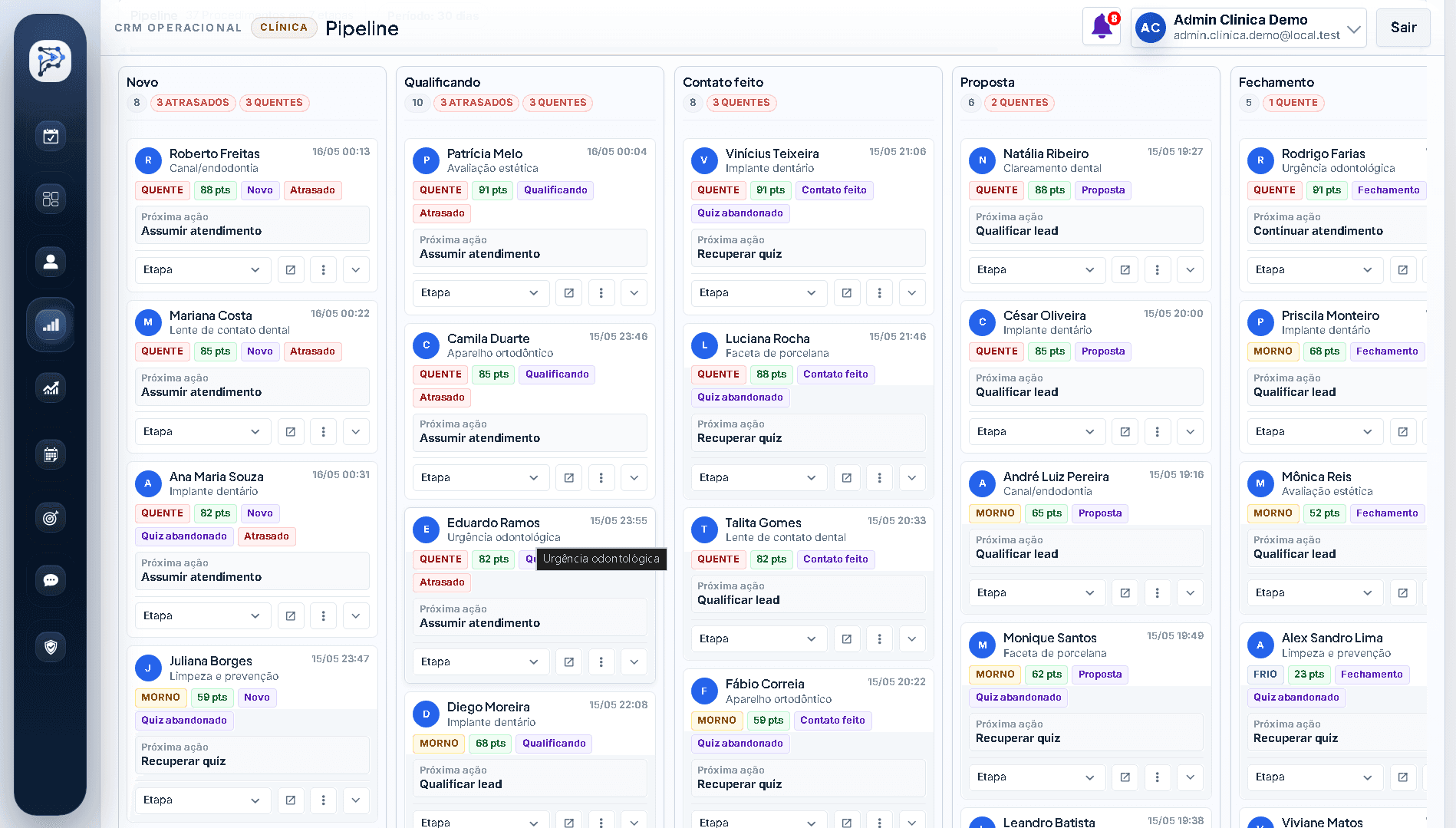
Sales pipeline
Organizes opportunities by stage, so the team can see which leads are new, qualified, in conversation, or close to booking.
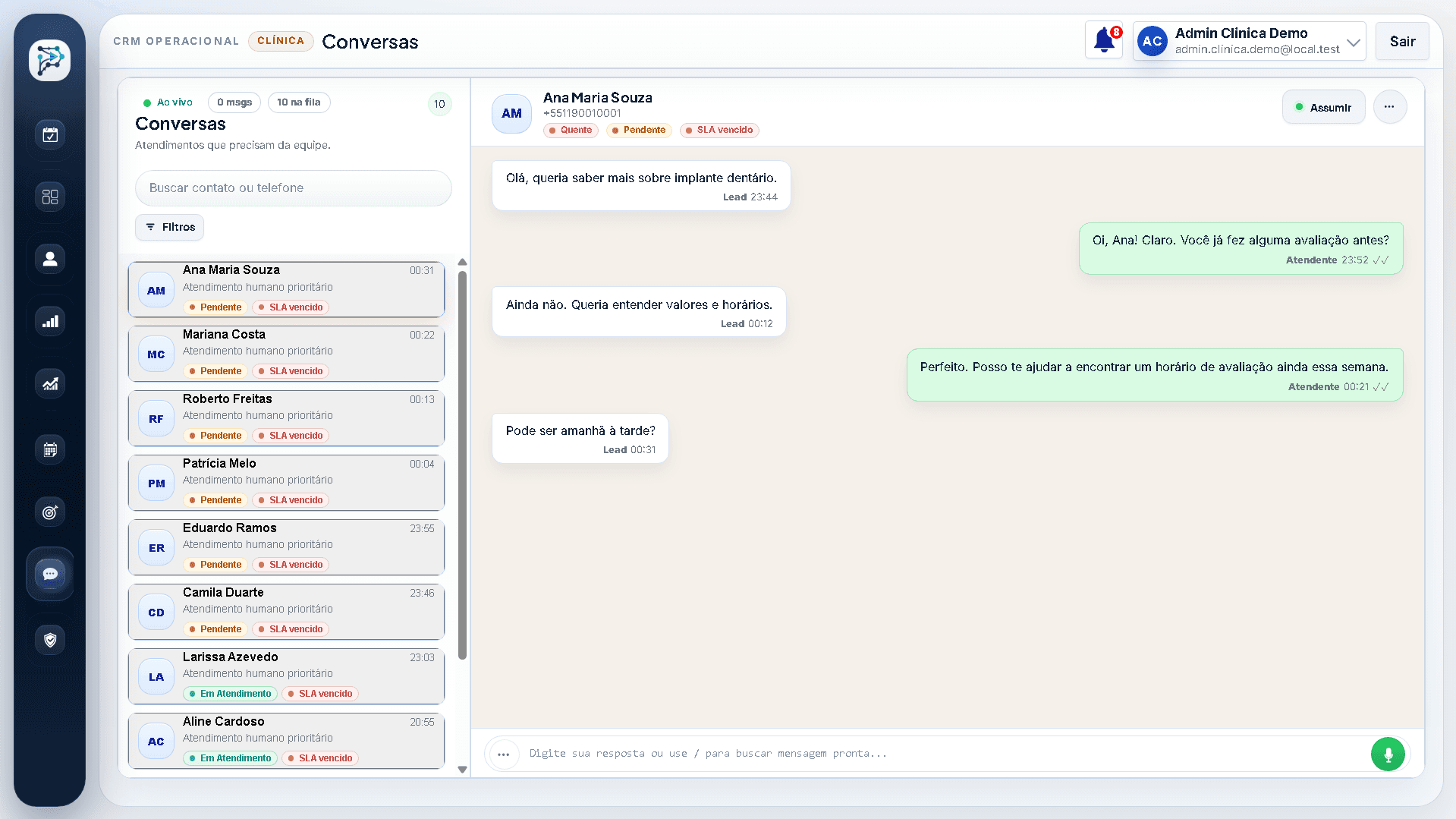
Centralized conversations
Combines the contact queue and conversation history to preserve context when a lead moves from AI-assisted intake to the team.
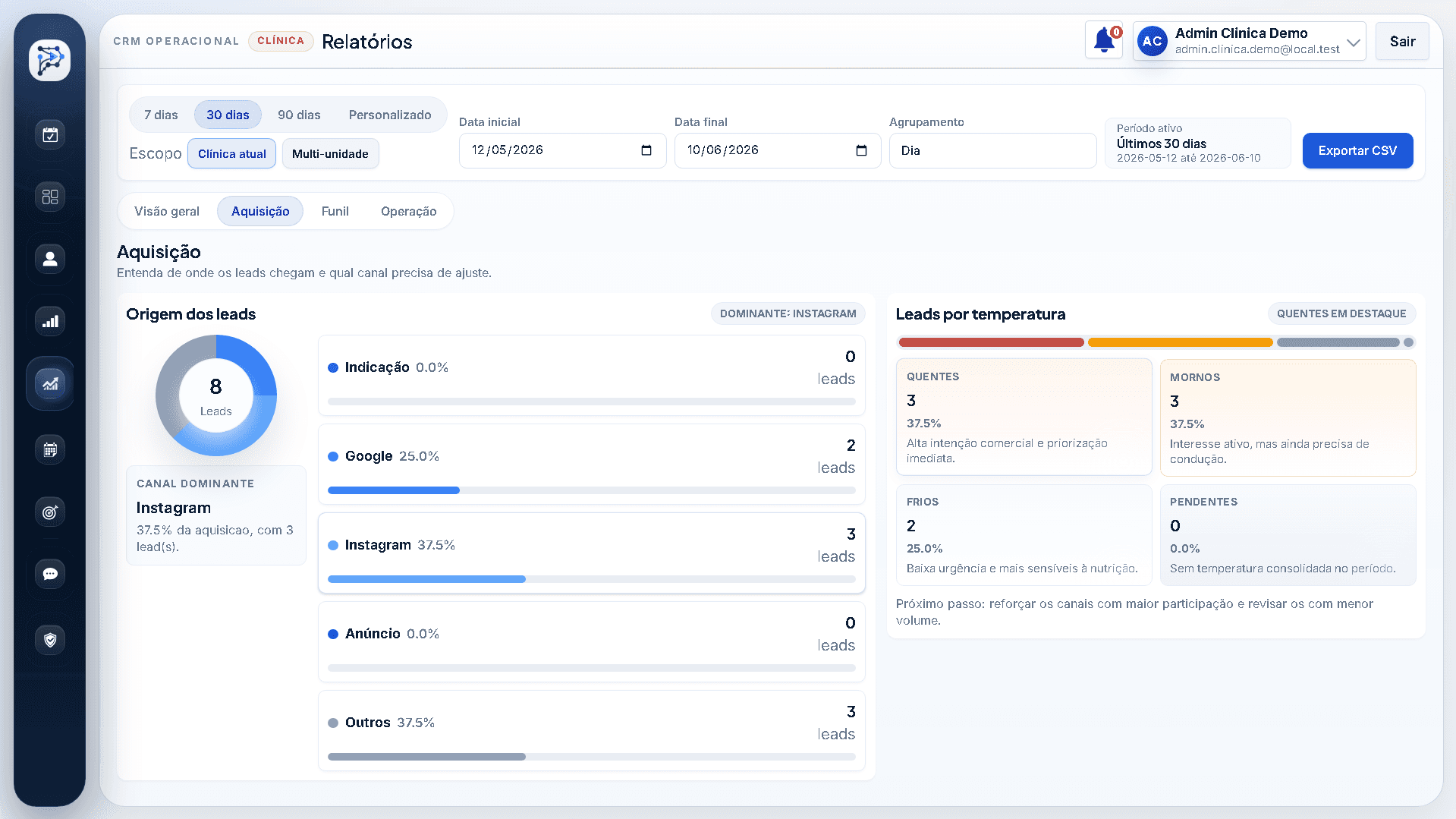
Reports and acquisition
Completes the workflow with metrics on channels, lead quality, and points where conversations lose momentum.
PROGN was built as a day-to-day operations tool, not just a contact database.
AI supports intake and context. Team members remain responsible for negotiation, sensitive conversations, and important decisions.
AI identifies intent, summarizes context, and helps the team understand the lead before responding.
WhatsApp becomes part of the sales workflow instead of sitting in a separate inbox with no operational context.
When a conversation needs judgment, negotiation, or personal attention, a team member steps in with the context preserved.
Automation supports the workflow, while the team remains responsible for rules, oversight, and the quality of each interaction.
The handoff keeps context intact when a conversation moves from AI-assisted intake to a team member.
Summary, stage, source, and conversation history follow the lead to the person responsible.
The team knows who took over, what comes next, and when the follow-up needs to happen.
Reports and dashboards turn conversations into a manageable routine by showing who needs attention, where work is getting stuck, and which tasks are overdue.
A prioritized queue shows pending follow-ups, open conversations, and opportunities that need action.
Volume, bottleneck stages, stalled leads, and results by period are visible without a parallel spreadsheet.
Owners, managers, and team members can see where the process is moving and where it needs adjustment.
Because the system handles lead data, conversations, and sales operations, the public demo avoids sensitive implementation details and uses fictional data.
Access can separate conversation, management, and operations responsibilities when needed.
History, status, and ownership reduce decisions that happen without a record in the pipeline.
Public screens replace real names, conversations, and metrics with safe examples.
Internal integration details, prompts, automation logic, and database structure are not exposed in the case study.
The stack supports the interface, backend, database, WhatsApp, AI, webhooks, reporting, and role-based operations.
The technology supports the day-to-day product experience, data, integrations, security, logs, and automation.
Screens support recurring work across the inbox, lead records, pipeline, schedule, tasks, and reporting dashboard.
The system supports authentication, roles, history, traceability, and clear responsibility by user.
WhatsApp, AI, webhooks, and automation connect lead acquisition, conversations, and next steps.
Sensitive implementation details stay private, while the public demo uses fictional data and controlled workflows.
Next step
If your clinic is losing leads, relying too heavily on WhatsApp, or needs a clearer workflow for conversations, the pipeline, and scheduling, message me to see whether PROGN is a fit or custom software makes more sense.